A Telegram client with superpowers
Chats in tabs, a screenshot tool on ⌘⇧A, your NAS on a Downloads page, and AI assistants only when you let them in. Open source, for macOS on Apple silicon.
macOS 12 or newer on Apple silicon · Windows and Linux later · An unofficial client, not made by Telegram
Your chats come first
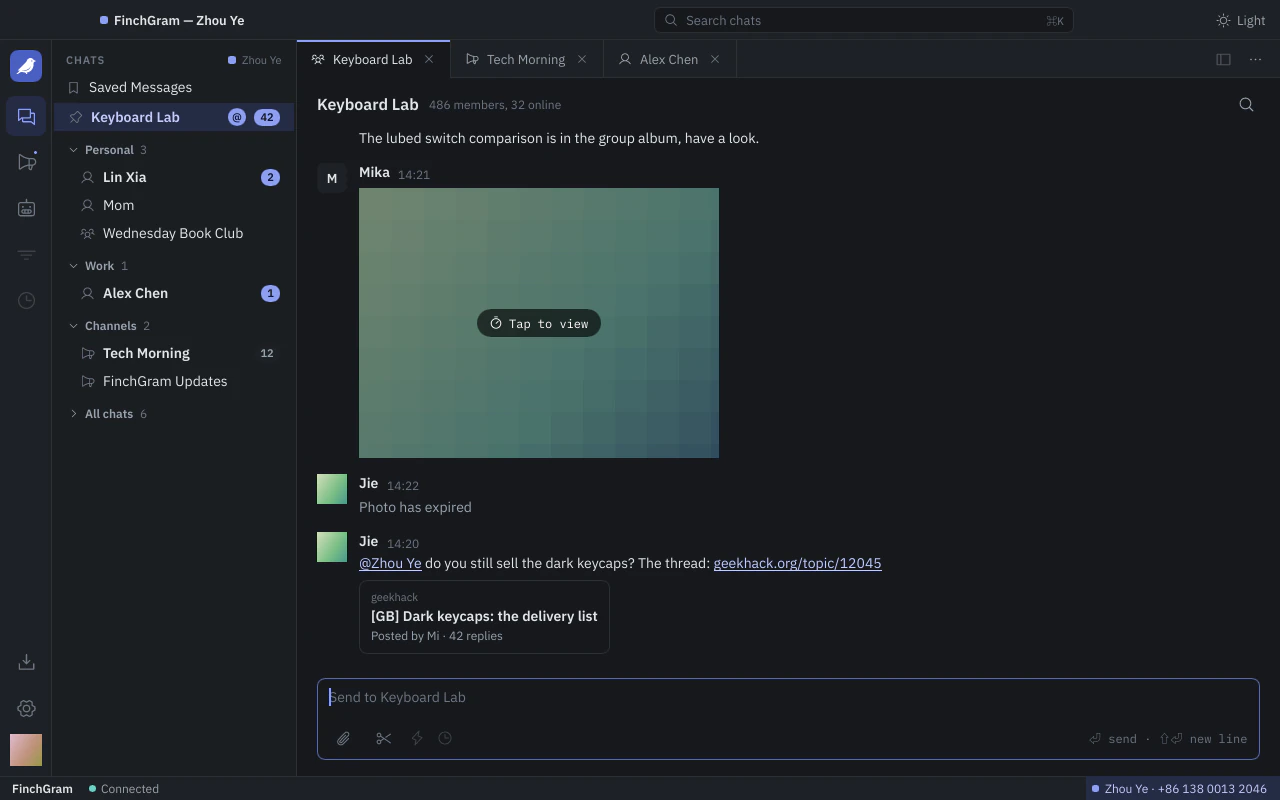
The Telegram you know, from folders to stickers, in a window made for a keyboard and a right click.
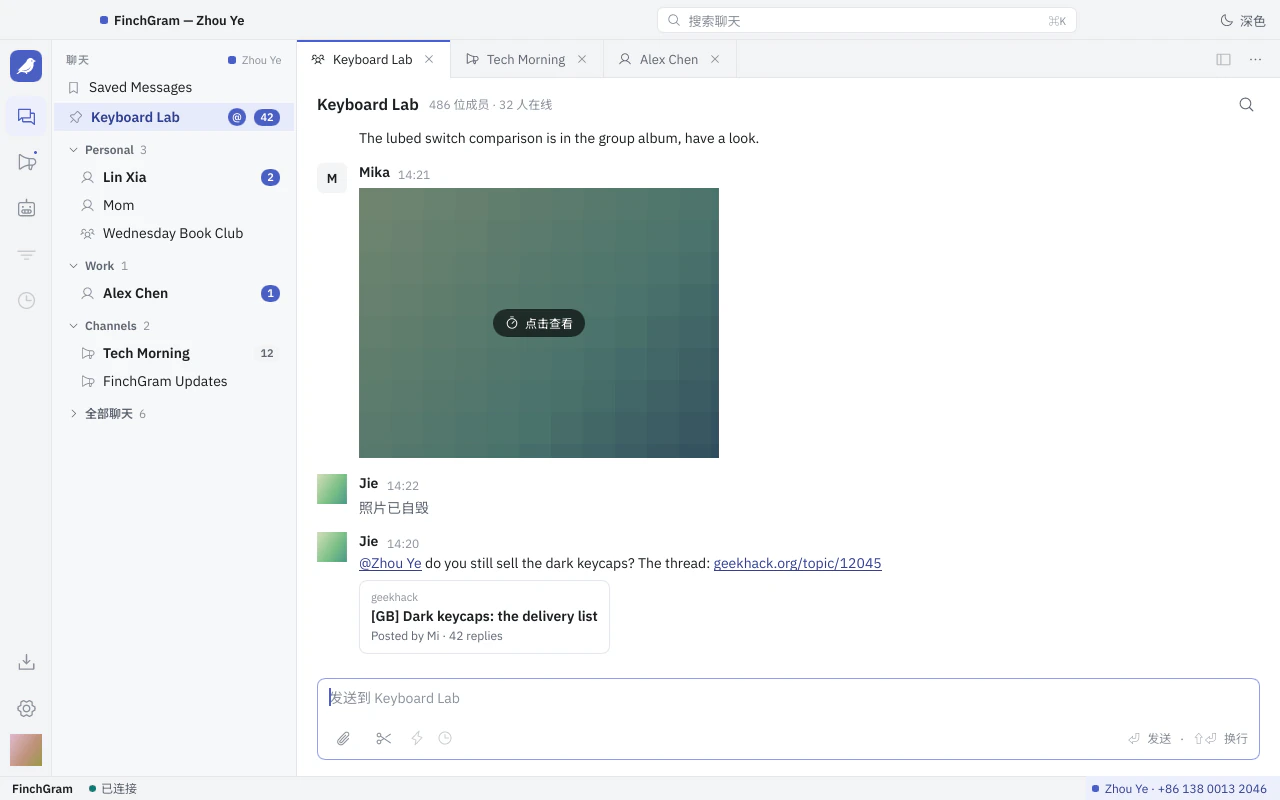
Chats
Telegram's folders, pinned chats, unread counts and mentions. ⌘K searches everything, ⌘F searches within a chat. Log in with your phone number or a QR code.
Messages
Formatting, replies and forwards, photos, videos, GIFs, stickers, files and link previews. A right click gives every message its menu.
Media viewer
Photos and videos open over the window with the rest of their album. Video plays through mpv, built from source.
Sending
Drag files onto the window, paste them, or pick them with the paperclip. A card shows them first: a caption, photo or file, an album of up to ten.
Notifications
macOS notifications and a count on the Dock icon. FinchGram stays in the Dock when its window closes, and can live in the menu bar.
Chat menus
Mute, pin, copy a chat's ID or put it into a folder; block, report, leave or delete. A right click on a folder marks all its chats as read, or sorts them.
Your NAS, browsed in the app
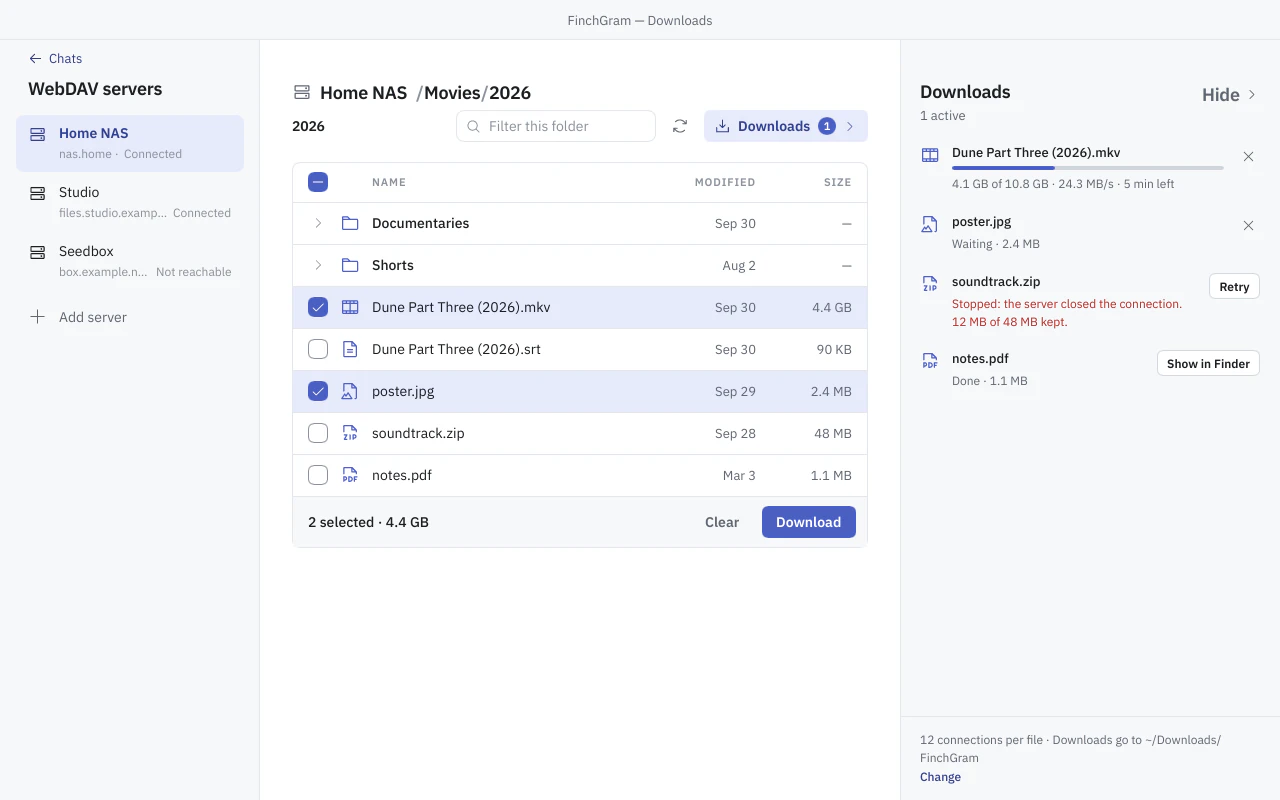
Add a WebDAV server, open its folders, tick files or take a whole folder. Each file comes in 8 MB chunks over up to twelve connections, and goes on from where it stopped.
- Synology · QNAP
- Seedbox
- PikPak
- Alist · OpenList
- Nextcloud
- rclone serve webdav
- vget serve
- Read-only: nothing is uploaded, renamed or deleted on the server.
- Passwords go into FinchGram's encrypted database, its key in the macOS Keychain, never into a plain file.
- Photos and videos open in the viewer when they arrive.
- It opens before you log in: no Telegram account needed.
Capture, mark up, send
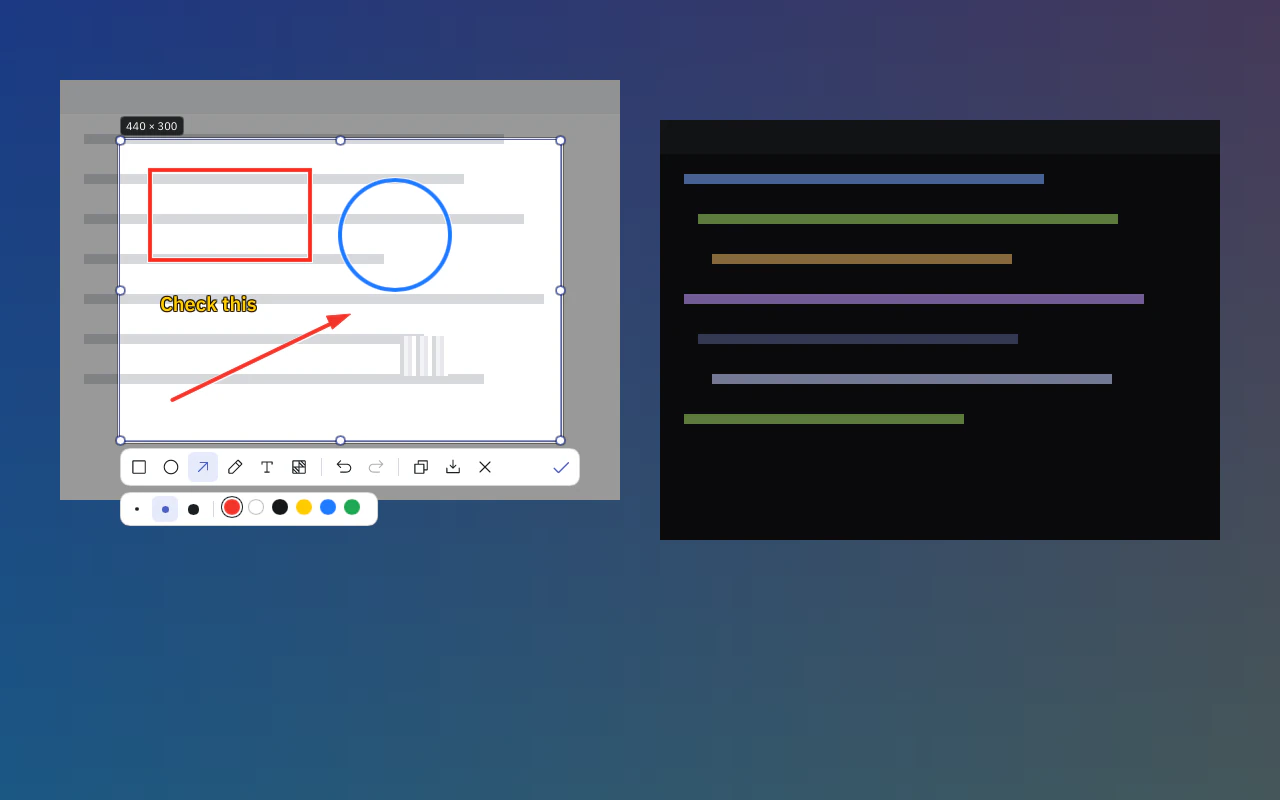
Press ⌘⇧A, or the scissors next to the paperclip. The screen freezes under an overlay: click a window to take it whole, or drag a selection with a magnifier and its size in pixels.
Draw rectangles, ellipses, arrows, pen strokes, text and mosaic, in three sizes and six colors, with undo.
- DoneInto the send card, with room for a caption
- ⌘CCopies it
- ⌘SSaves it to Downloads
An AI assistant in your chats, only if you let it in
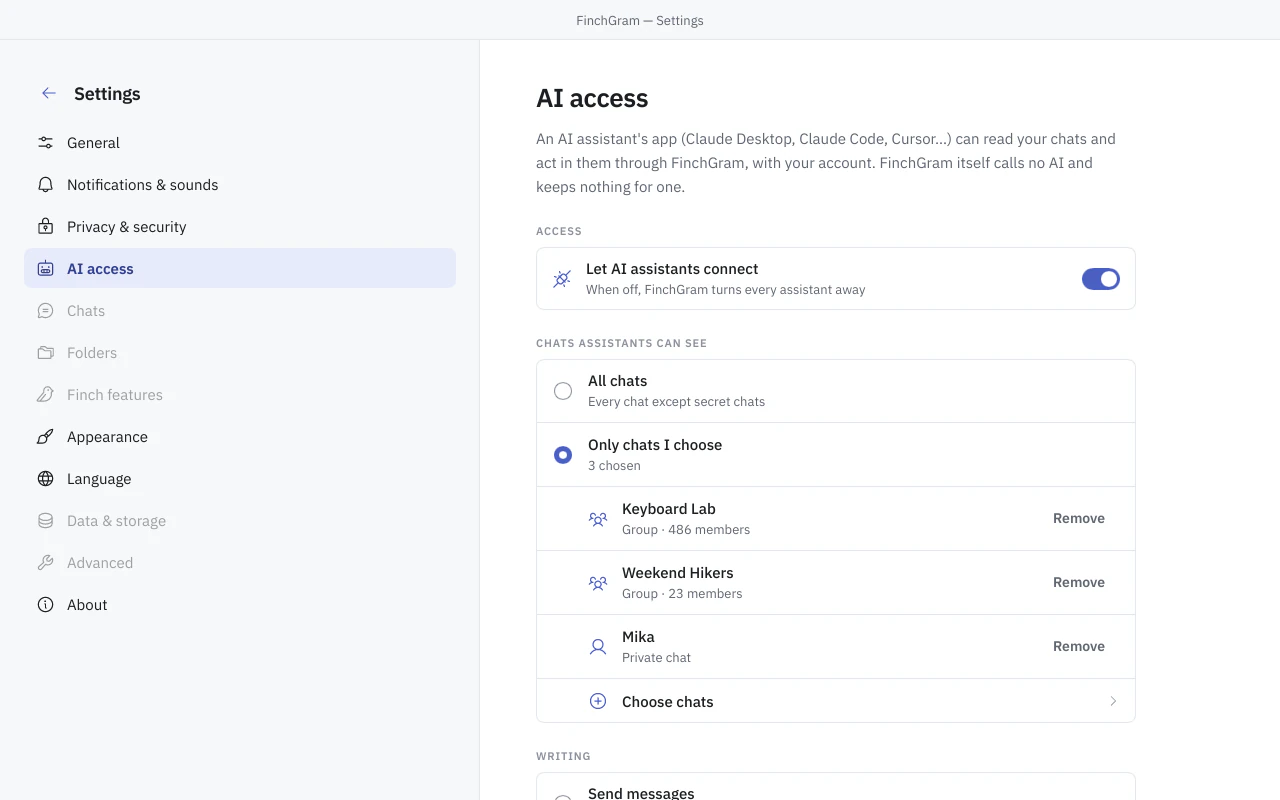
FinchGram is an MCP server. Claude Desktop, Claude Code, Cursor and other apps that speak the Model Context Protocol can read your chats and act in them through the running app, with your own account.
FinchGram never uses Telegram data to train AI models.
- Off until you turn it on
Settings → AI access is the switch. While it is off, FinchGram turns every assistant away.
- Only the chats you choose
Every chat except secret chats, or only the ones you pick.
- You decide what it may write
Messages under your name, drafts for you to send, or nothing.
- Each app asks first
The first time an app connects, FinchGram asks whether to allow it, by the name macOS gives it.
- Reading marks nothing as read
Secret chats are never shown, and nothing is kept for an AI. FinchGram itself calls no AI.
$ claude mcp add finchgram -- /Applications/FinchGram.app/Contents/MacOS/finchgram mcpThree looks, switched without a restart
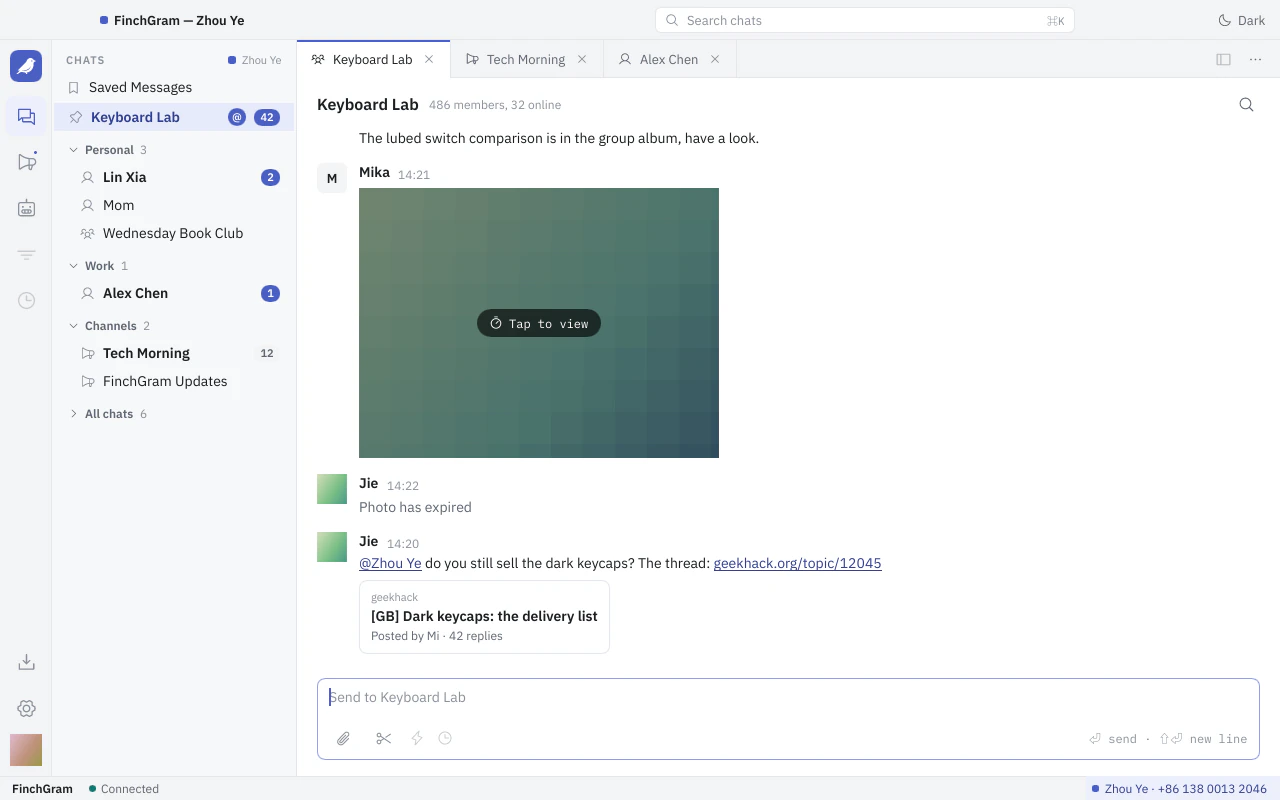
Each comes in light and dark, following the system or your choice in Settings → Appearance.
Workbench, the default, is a working window with tabs, set in IBM Plex Sans with an indigo accent.
Eleven languages, in the app and on this site
English, Chinese in simplified and traditional characters, Spanish, Portuguese, German, French, Russian, Japanese, Korean and Arabic. FinchGram follows your Mac's language, or the one you pick in Settings → Language, and switches without a restart.
Pick one to read this page in:
Plays by Telegram's rules
FinchGram is an unofficial client, not made by Telegram. It talks to Telegram through TDLib, Telegram's own library, and keeps to the Telegram API terms.
Read the source on GitHubBehaves like Telegram's own apps
A message is marked read when you see it, others see you typing and online, sponsored messages in channels are shown, and self-destructing media opens once.
Talks only to Telegram and GitHub
Nothing leaves your Mac except to Telegram, and to GitHub for updates.
Installs only what it can verify
The app updates itself from GitHub Releases. Every release comes with SHA256SUMS and its Ed25519 signature, and the app checks both first.
Built in the open
Releases are built only by GitHub Actions, from pinned sources. The source, the vendor builds and the releases are public, under the GPL-3.0.
What comes next
FinchGram comes out in small releases and updates itself. Here is what has come so far, what is on its way, and what waits on something bigger.
Platforms
- TodaymacOSVersion 12 or newer, on Apple silicon
- NextWindows, then Linux
- LateriOS and Android
Shipped
- 2026-10-21 · v0.4.18Encrypted databases, their keys in the Keychain
- 2026-10-21 · v0.4.17Signed and notarized by Apple
- 2026-10-16 · v0.4.0Downloads: your NAS, browsed in the app
- 2026-10-12 · v0.3.20AI assistants, through the Model Context Protocol
- 2026-10-07 · v0.3.6The interface in eleven languages
- 2026-10-07 · v0.3.0The screenshot tool
- 2026-09-30 · v0.2.0Photos and videos
- 2026-09-29 · v0.0.1The first build
Coming
- Secret chats
- Voice messages
- Polls
- Scheduled messages
- Keyword filters
- Animated and video stickers
Missing something?Ask on GitHub
Later
- Several accountsEach account needs a Telegram session of its own, and the app a way to switch between them. It needs a design first.
- CallsTelegram's library only sets a call up; carrying the voice and the video is a large project of its own.
- Third-party pluginsThey need a trust model first: who signs them, what you approve, and how they are kept apart.

Get FinchGram for your Mac
- 1Download
FinchGram-<version>-macos-arm64.zipfrom the latest release. - 2Unzip it and move FinchGram into Applications.
- 3Open it. It is signed with a Developer ID and notarized by Apple, so it opens like any other app. From then on it updates itself.
macOS 12 or newer on Apple silicon. Windows and Linux later.